
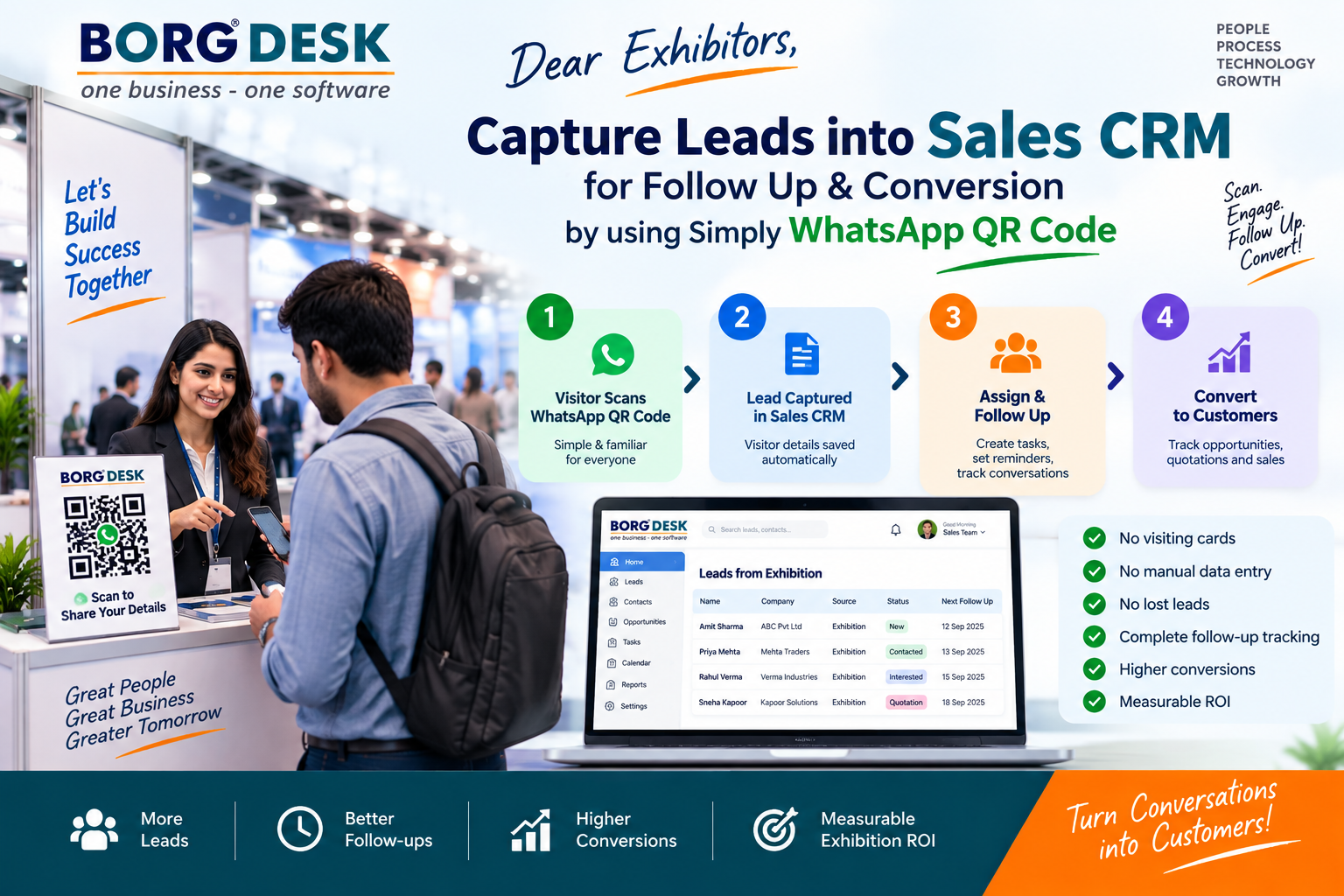
Capture Exhibition Leads with WhatsApp QR & Convert Them into Sales
 Admin
Admin Capture Exhibition Leads with WhatsApp QR & Convert Them into Sales
Dear Exhibitors, Don't Let Your Exhibition Leads Go Cold!
An exhibition can generate hundreds of valuable customer enquiries in just a few days. But collecting leads is only the first step. The real business opportunity begins after the visitor leaves your stall.
What if every visitor could simply scan a WhatsApp QR Code, share their details, and have their enquiry captured directly into your Sales CRM?
With Borg Sales CRM, exhibitors can create a simple journey:
WhatsApp QR Code → Lead Capture → Sales CRM → Follow-up → Conversion
This makes exhibition lead management faster, simpler, and more accountable.
Why Exhibition Lead Capture Is a Challenge
Exhibitors commonly collect leads through:
- Visiting cards
- Paper forms
- Excel sheets
- WhatsApp messages
- Phone contacts
- QR codes
- Salesperson notes
The problem starts after the exhibition.
Some leads are entered into Excel. Some remain in WhatsApp. Some visiting cards are misplaced. Salespeople may forget follow-ups, and management may have no clear visibility of what happened to the leads.
As a result:
Leads are generated—but opportunities are lost.
The solution is to connect lead capture directly with the sales process.
Capture Exhibition Leads with a Simple WhatsApp QR Code
Instead of asking visitors to fill out lengthy forms, exhibitors can display a WhatsApp QR Code at their exhibition booth.
A visitor simply:
Scans the QR Code → Opens WhatsApp → Shares required information → Enquiry enters the sales process
The QR code can be displayed on:
- Exhibition booth
- Reception desk
- Product display
- Brochure
- Standee
- Visiting card
- Product catalogue
- Digital display
- Exhibition presentation
This creates a simple and familiar way for visitors to express their interest.
From WhatsApp to Sales CRM
The real power comes when the captured enquiry becomes a structured CRM lead.
Borg Sales CRM can help organize information such as:
- Name
- Mobile number
- Company
- Designation
- Product/service of interest
- Requirement
- Location
- Exhibition/Event source
- Lead priority
- Assigned salesperson
- Follow-up date
- Notes and remarks
Now the exhibition lead is no longer just a WhatsApp conversation.
It becomes a trackable sales opportunity.
One Lead. One Owner. One Next Action.
Once a lead is captured, the sales team needs to act.
Borg Sales CRM can help create a clear accountability process:
Lead → Salesperson → Follow-up → Next Action → Opportunity → Conversion
Every lead should have:
One responsible person.
One next action.
One expected follow-up date.
This eliminates the common question:
"Who is going to follow up with this exhibition lead?"
The CRM makes ownership visible.
Never Miss an Exhibition Follow-up
The biggest mistake exhibitors make is treating the exhibition as the end of the sales activity.
It is actually the beginning.
A potential customer may require:
- Product information
- Price details
- Quotation
- Product demonstration
- Meeting
- Technical discussion
- Negotiation
- Management approval
- Additional follow-up
Borg Sales CRM can organize these activities into a structured follow-up process.
Example:
Day 1: Thank-you WhatsApp message
Day 2: Requirement confirmation
Day 4: Product presentation/demo
Day 7: Quotation follow-up
Day 14: Decision follow-up
Instead of relying on memory, salespeople work from scheduled tasks and next actions.
Convert Exhibition Enquiries into Sales Opportunities
Not every visitor will immediately purchase.
A CRM allows the sales team to move qualified enquiries through different stages.
Example Sales Pipeline
New Exhibition Lead
↓
Qualified Lead
↓
Requirement Identified
↓
Meeting / Demo
↓
Quotation
↓
Negotiation
↓
Won / Lost
Management can see the number and value of opportunities at each stage.
This transforms exhibition lead management from data collection into a revenue-generation process.
Measure the ROI of Your Exhibition
An exhibition can involve significant investment in:
- Stall
- Travel
- Accommodation
- Marketing
- Manpower
- Product demonstrations
- Promotional material
- Logistics
Therefore, the important question isn't simply:
"How many leads did we collect?"
The better question is:
"How much business did those leads generate?"
With structured CRM data, exhibitors can measure:
| Exhibition Metric | Example |
|---|---|
| Total Leads | 500 |
| Qualified Leads | 280 |
| Opportunities | 150 |
| Quotations | 90 |
| Orders Won | 35 |
| Pipeline Value | ₹1.50 Cr |
| Converted Revenue | ₹45 Lakh |
| Conversion Rate | 7% |
| Cost per Lead | ₹2,000 |
| Cost per Customer | ₹28,571 |
| Exhibition ROI | Trackable |
This gives management a much clearer picture of exhibition performance and sales ROI.
Why Use WhatsApp QR + Sales CRM?
The combination is powerful because it connects customer convenience with sales accountability.
For Visitors
- Easy to scan
- Familiar WhatsApp experience
- Quick enquiry submission
- No lengthy registration process
For Salespeople
- Leads organized in one place
- Clear ownership
- Follow-up tasks
- Customer interaction history
- Opportunity tracking
For Sales Managers
- Real-time visibility
- Follow-up accountability
- Pipeline monitoring
- Sales team performance
For Business Owners
- Exhibition-wise performance
- Conversion visibility
- Revenue tracking
- Better exhibition ROI measurement
The Complete Exhibition Lead-to-Sales Journey
With Borg Sales CRM, exhibitors can create a simple and measurable process:
SCAN
Visitor scans the WhatsApp QR Code.
CAPTURE
Customer enquiry and details are captured.
QUALIFY
Sales team identifies the potential and requirement.
ASSIGN
Lead is assigned to the responsible salesperson.
FOLLOW UP
Tasks, calls, WhatsApp messages, meetings and quotations are tracked.
CONVERT
Qualified opportunities move through the sales pipeline.
MEASURE
Management measures conversion, revenue and exhibition ROI.
Don't Just Collect Leads. Build Your Sales Pipeline.
Your exhibition stall may attract hundreds of visitors.
But your real success comes from what happens after the exhibition.
Don't allow valuable enquiries to remain buried in visiting cards, Excel files, WhatsApp chats or salesperson memory.
Use a simple WhatsApp QR Code to capture enquiries and connect them with a structured Sales CRM.
Borg Sales CRM
Capture Every Lead.
Follow Up Every Opportunity.
Convert More Exhibition Enquiries into Customers.
Scan. Capture. Follow Up. Convert.
- Why Exhibition Lead Capture Matters
- Capture Leads with a WhatsApp QR Code
- Send Every Lead into Your Sales CRM
- Assign & Follow Up with Every Lead
- Convert Exhibition Enquiries into Opportunities
- Measure Exhibition Sales & ROI
- Why Exhibitors Should Connect WhatsApp with CRM
- The Complete Exhibition Lead-to-Sales Journey
What is the easiest way for exhibitors to capture and follow up with exhibition leads?
A simple approach is to use a WhatsApp QR Code connected to a Sales CRM. Visitors scan the QR code and share their enquiry, the lead is captured in the CRM, assigned to a salesperson, followed up through scheduled activities, and moved through the sales pipeline until conversion. Borg Sales CRM is designed to help exhibitors manage this journey from lead capture to follow-up to conversion and exhibition ROI measurement.
Leave your thought here
Your email address will not be published. Required fields are marked *


Comments (0)