Sales CRM System: Complete Guide to Features, Benefits & Best CRM Software
 Admin
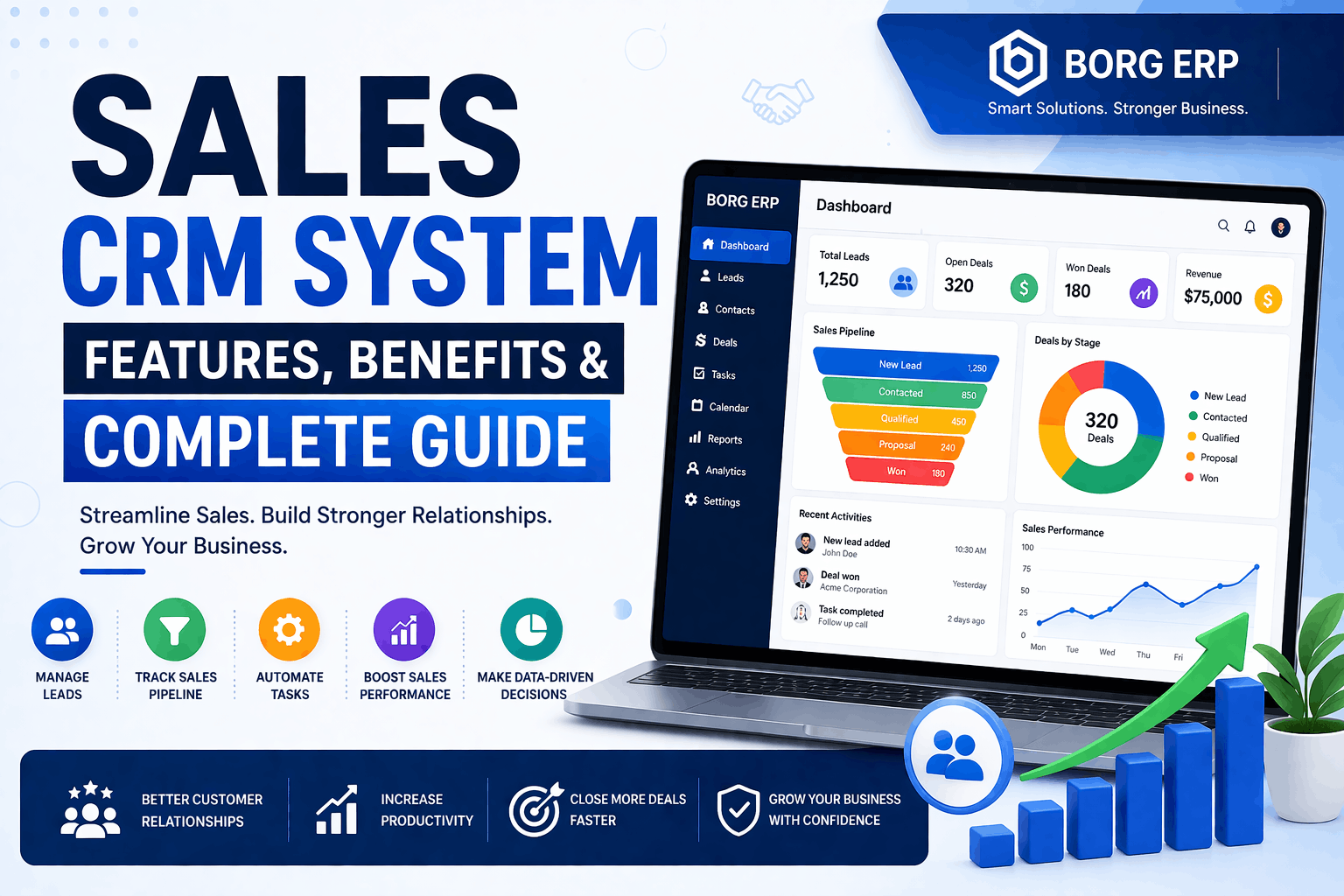
Admin Sales CRM System: Features, Benefits & Complete Guide
In today’s competitive business landscape, managing customer relationships effectively is the key to sustainable growth. A Sales CRM System helps businesses streamline their sales processes, improve customer engagement, and boost overall productivity. Whether you’re a startup or an enterprise, adopting the right CRM—like Sales Crm Software By Borg Erp—can transform your sales performance.
In this complete guide, we’ll explore everything you need to know about Sales CRM systems, including features, benefits, and how to choose the best one for your business.
What is a Sales CRM System?
A Sales CRM System (Customer Relationship Management) is a software solution designed to manage a company’s interactions with current and potential customers. It helps sales teams organize contacts, track leads, manage pipelines, and close deals more efficiently.
Instead of relying on spreadsheets or scattered tools, a CRM centralizes all customer data in one place. Many businesses today prefer Crm Software For Sales Management to ensure better tracking and automation.
Why Businesses Need a Sales CRM System?
Modern customers expect personalized experiences and quick responses. Without a proper system, managing leads and customer communication becomes chaotic.
Here’s why businesses need a CRM:
- Centralized customer data
- Improved communication tracking
- Better lead management (see also: lead management system for sales teams)
- Increased sales efficiency
- Data-driven decision making
For businesses using multiple tools, integrating CRM with an All-In-One Erp System can further streamline operations.
Key Features of a Sales CRM System
1. Lead Management
A CRM allows you to capture, track, and nurture leads throughout the sales cycle. You can assign leads to sales reps and monitor their progress. Advanced lead management systems improve conversion rates significantly.
2. Sales Pipeline Management
Visual pipelines help you track deals at every stage—from initial contact to closing. This is especially useful when combined with sales automation tools to improve efficiency.
3. Contact Management
Store and organize customer information, including emails, phone numbers, and interaction history. A strong customer relationship management software ensures no data is lost.
4. Sales Automation
Automate repetitive tasks like follow-ups, email campaigns, and data entry. Businesses using sales automation tools often see higher productivity and reduced manual work.
5. Reporting and Analytics
Advanced CRM systems provide insights into sales performance, conversion rates, and customer behavior. These insights help in making data-driven decisions.
6. Integration Capabilities
A good CRM integrates with tools like email platforms, marketing software, and accounting systems. Many companies combine CRM with ERP—learn more in Cloud ERP vs Traditional ERP comparison (internal blog suggestion).
7. Mobile Access
Access your CRM anytime, anywhere using mobile apps—perfect for field sales teams and remote work environments.
Benefits of Using a Sales CRM System Improved Sales Productivity
Automation and organized workflows allow sales teams to focus on closing deals rather than administrative tasks. Using an easy-to-use CRM for sales teams can significantly boost efficiency.
Better Customer Insights
CRM systems provide valuable insights into customer behavior, helping you tailor your sales approach and improve engagement.
Enhanced Customer Relationships
With complete customer data at your fingertips, you can deliver personalized experiences. This is especially important for businesses using Crm For Ecommerce Businesses (internal blog opportunity).
Increased Revenue
By improving lead conversion rates and customer retention, CRM systems directly impact your bottom line.
Accurate Sales Forecasting
Real-time data and analytics help predict future sales trends more accurately, giving businesses a competitive edge.
Types of Sales CRM Systems
1. Operational CRM
Concentrates on automating marketing, sales, and customer service tasks.
2. Analytical CRM
Analyzes customer data to improve decision-making.
3. Collaborative CRM
Enhances communication between teams and departments.
How to Choose the Best Sales CRM System
Choosing the right CRM depends on your business needs. Consider the following factors:
✔ Ease of Use
A user-friendly interface ensures quick adoption by your team.
✔ Customization
Your CRM should adapt to your business processes, not the other way around.
✔ Scalability
Choose a system that can grow with your business.
✔ Pricing
Look for an affordable sales CRM system that fits your budget without compromising features.
✔ Customer Support
Reliable support ensures smooth implementation and usage.
For a complete solution, explore Borg Erp Crm Platform designed for businesses of all sizes.
Best Practices for Implementing a Sales CRM
- Train your team properly
- Define clear sales processes
- Keep data clean and updated
- Use automation wisely
- Regularly analyze CRM reports
You can also integrate CRM with an Erp System For Business Management to improve overall efficiency.
Why Choose Borg ERP for Your Sales CRM Needs?
If you’re looking for a powerful yet easy-to-use CRM for sales teams, your search ends here.
Borg Erp offers a complete CRM solution designed to help businesses manage leads, automate sales, and improve customer relationships.
Key Advantages of Borg ERP CRM:
- User-friendly interface
- Advanced sales automation
- Real-time analytics and reporting
- Affordable pricing for startups and enterprises
- Customizable features tailored to your business
Start with Best Sales Crm System By Borg Erp to scale your business faster.
Sales CRM System for Small Businesses
Small businesses often struggle with limited resources and time. A CRM helps them:
- Manage leads effectively
- Improve customer retention
- Automate repetitive tasks
- Compete with larger businesses
An affordable sales CRM system like Borg Erp Crm can be a game-changer for startups and SMEs.
Common Challenges in CRM Implementation
While CRM systems offer numerous benefits, businesses may face challenges such as:
- Resistance to change from employees
- Poor data quality
- Lack of proper training
- Choosing the wrong CRM
These issues can be avoided with proper planning and choosing the right CRM software for sales.
Future Trends in Sales CRM Systems
The CRM landscape is evolving rapidly. Here are some key trends:
AI-Powered CRM
Artificial Intelligence helps predict customer behavior and automate decision-making.
Mobile CRM Growth
More businesses are adopting mobile-first CRM solutions.
Integration with Other Tools
CRM systems are becoming more connected with marketing, finance, and support tools.
Predictive Analytics
Advanced analytics will play a major role in forecasting and strategy.
Conclusion
A Sales CRM System is no longer optional—it’s essential for businesses aiming to grow and stay competitive. From managing leads to improving customer relationships, a CRM system empowers your sales team to perform at their best.
If you want a reliable, scalable, and affordable CRM solution, consider Borg Erp. It’s designed to simplify sales processes and drive business growth.
Frequently Asked Questions (FAQs)
1. What is a Sales CRM System?
A Sales CRM System is software that helps businesses manage customer relationships, track leads, and improve sales performance.
2. Which CRM is best for small businesses?
The best CRM is one that is affordable, easy to use, and scalable—like Borg Erp Crm.
3. How does a CRM improve sales?
It automates tasks, tracks leads, and provides insights, helping sales teams close deals faster.
4. Is CRM software expensive?
Not necessarily. Many affordable sales CRM systems are available for startups and small businesses.
5. Can CRM be customized?
Yes, most modern CRM systems, including Borg ERP, offer customization options.
6. What features should I look for in a CRM?
Look for lead management, automation, reporting, integrations, and ease of use.
Leave your thought here
Your email address will not be published. Required fields are marked *


Comments (0)